CLICK CLICK Click: FACEBOOK Click: TWITTER CLICK HERE - To send an e-mail to your Holiday Homes Information Resource
 http://www.naplesgolf.info/
CLICK HERE to send us an e-mail...
  Holiday Homes - Villa & Condo Rentals
...in Naples, Florida!     
  Naples > NAPLES & more > Knights Bridge Rd in ROYAL PARK  
 LAST MINUTE DEALS 
Houses with priv. pool Houses with opt. pool Condos with comm. pool
00137 00452 00905 00907 00000 00000 00000 00000 00000 00000 00000 00000
     Highlights   Location   Floor plan   Availability   Rental rates 
   
   
   This holiday home 00905 ... 
 
FREE High Speed Wi-Fi Internet Access!
Only Laptop, Tablet or Smartphone needed!
...sleeps 4 (2 bathrooms) is located in the ground floor. In bedroom #1 (Master Suite) there is a King Size bed. In bedroom #2 (Guest Suite) there is a Queen Size bed.
This sleeps 4 house is our NaplesGolf Number 00905 and is located HERE. The vacation home is located on Knights Bridge Rd in ROYAL PARK. ROYAL PARK is part of the SANDPIPER area, excessable from 5th Avenue South (US41 east) of downtown NAPLES. ROYAL PARK is the perfect vacation community. You can walk throughout the well maintained neighborhood; it is lavishly filled with palm trees and vegetation. Once you've been to ROYAL PARK and NAPLES you'll want to return again and again as so many do!
Please send us an e-Mail if you have any questions. You will find already many answers on our site HELP! Please have a look at it. You'll gain from it! Please click HERE for testimonials.
CLICK on picture to enlarge. Command Key F11 makes it even bigger. With the large picture a SLIDE SHOW is automatically activated. To go BACK and FORTH click on the LEFT or RIGHT side of the big picture. To finish the SHOW click on the darkened frame around the picture or on (x). Command Key F11 brings your screen back to normal.

CLICK on picture to enlarge. Command Key F11 makes it even bigger. With the large picture a SLIDE SHOW is automatically activated. To go BACK and FORTH click on the LEFT or RIGHT side of the big picture. To finish the SLIDE SHOW click in the darkened area or on (x).
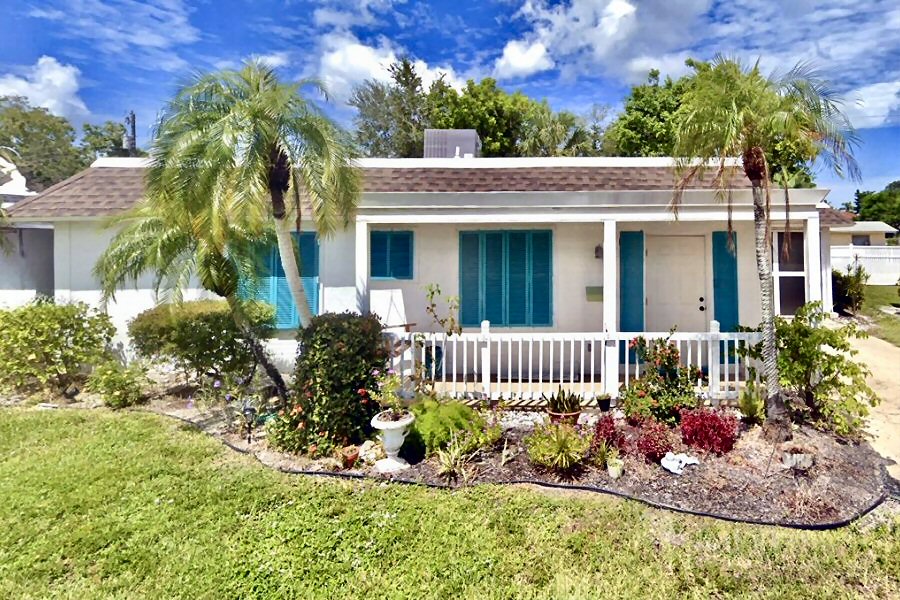
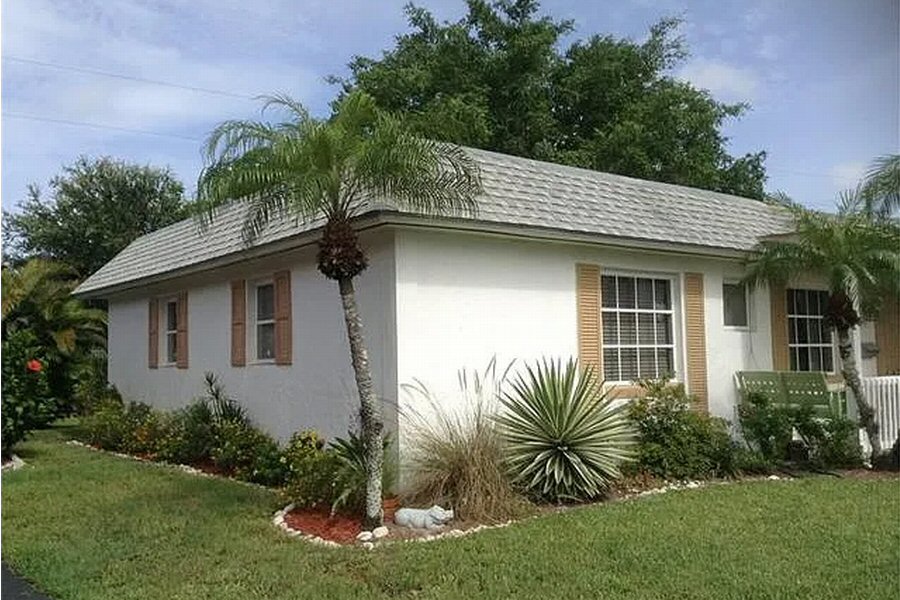
House facing East and Street.
 
CLICK on picture to enlarge. Command Key F11 makes it even bigger. With the large picture a SLIDE SHOW is automatically activated. To go BACK and FORTH click on the LEFT or RIGHT side of the big picture. To finish the SLIDE SHOW click in the darkened area or on (x).
Right picture: View to house.

CLICK on picture to enlarge. Command Key F11 makes it even bigger. With the large picture a SLIDE SHOW is automatically activated. To go BACK and FORTH click on the LEFT or RIGHT side of the big picture. To finish the SLIDE SHOW click in the darkened area or on (x).
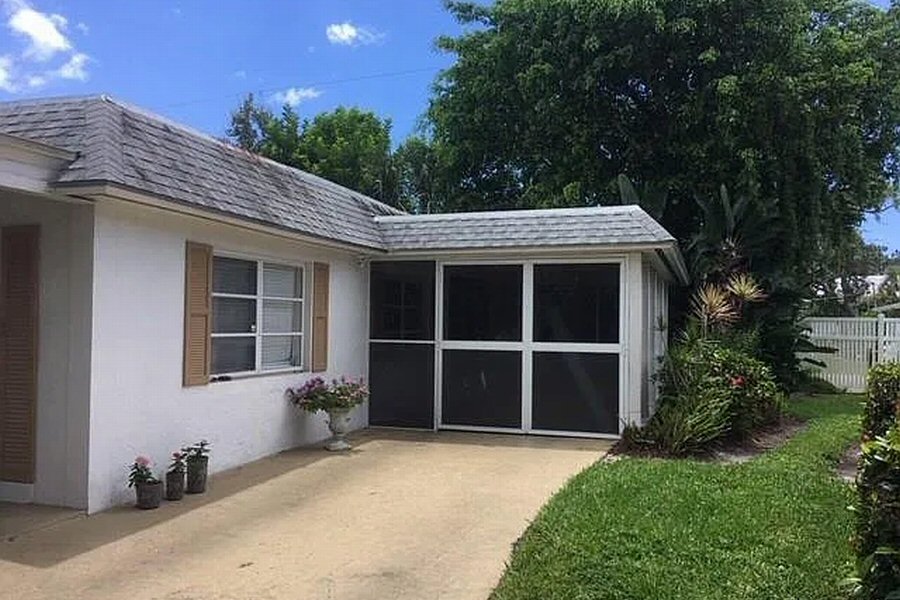
South side of House with Pavillon.
 
CLICK on picture to enlarge. Command Key F11 makes it even bigger. With the large picture a SLIDE SHOW is automatically activated. To go BACK and FORTH click on the LEFT or RIGHT side of the big picture. To finish the SLIDE SHOW click in the darkened area or on (x).
View to house.

CLICK on picture to enlarge. Command Key F11 makes it even bigger. With the large picture a SLIDE SHOW is automatically activated. To go BACK and FORTH click on the LEFT or RIGHT side of the big picture. To finish the SLIDE SHOW click in the darkened area or on (x).
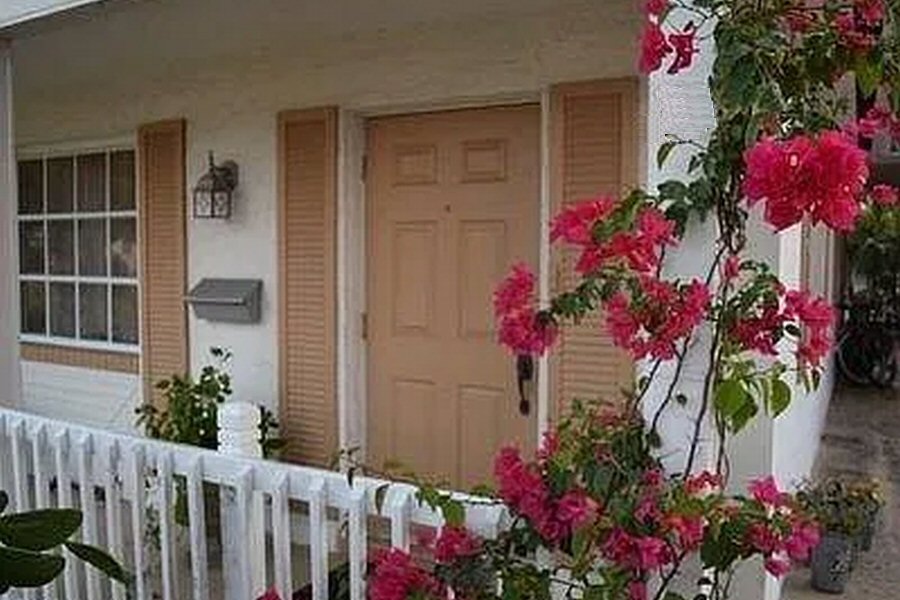
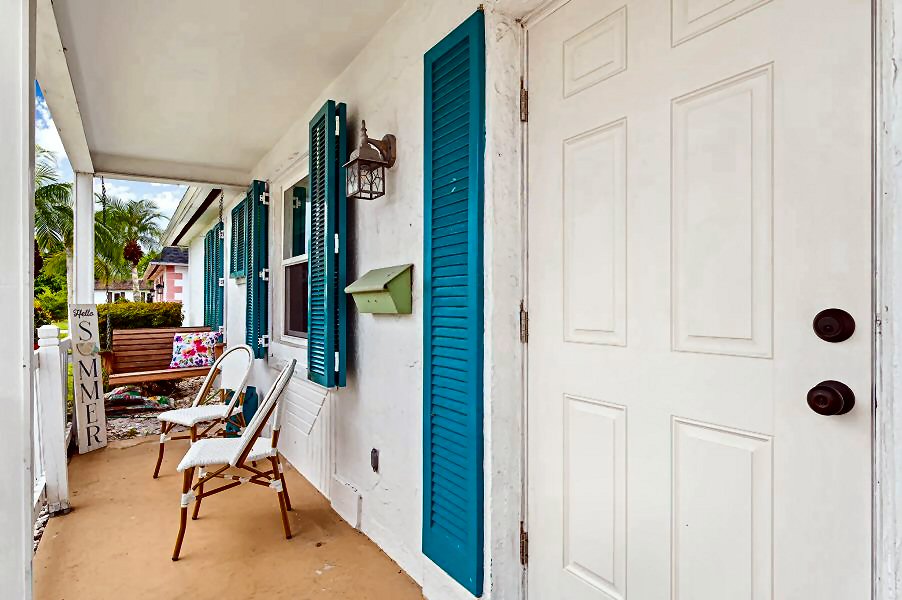
Entrance of house.
 
CLICK on picture to enlarge. Command Key F11 makes it even bigger. With the large picture a SLIDE SHOW is automatically activated. To go BACK and FORTH click on the LEFT or RIGHT side of the big picture. To finish the SLIDE SHOW click in the darkened area or on (x).
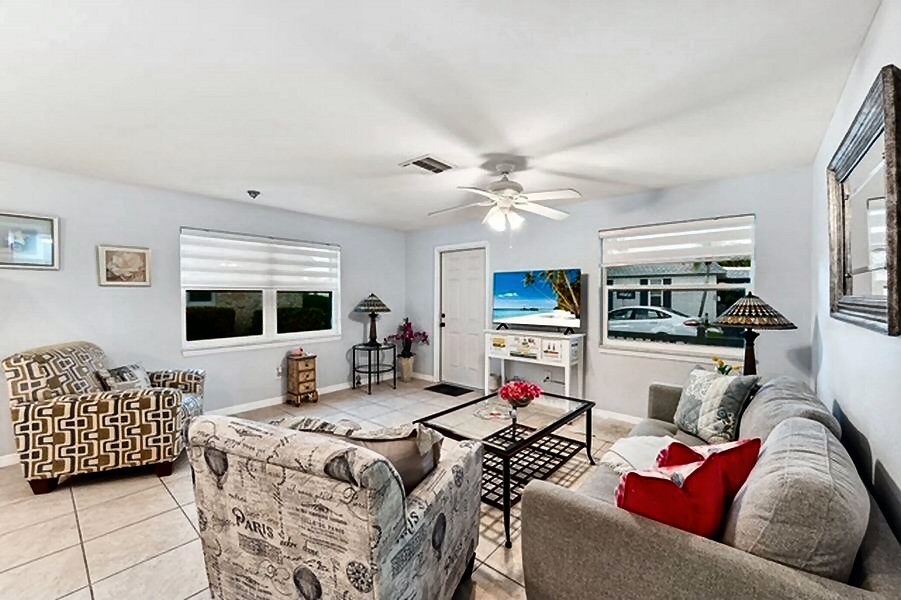
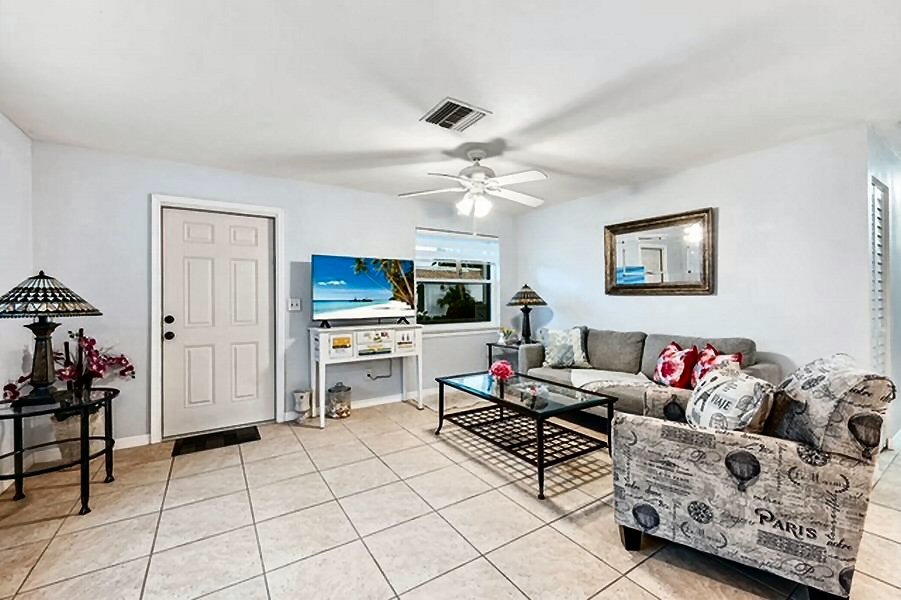
Right picture: Living room.

CLICK on picture to enlarge. Command Key F11 makes it even bigger. With the large picture a SLIDE SHOW is automatically activated. To go BACK and FORTH click on the LEFT or RIGHT side of the big picture. To finish the SLIDE SHOW click in the darkened area or on (x).
Living room.
 
CLICK on picture to enlarge. Command Key F11 makes it even bigger. With the large picture a SLIDE SHOW is automatically activated. To go BACK and FORTH click on the LEFT or RIGHT side of the big picture. To finish the SLIDE SHOW click in the darkened area or on (x).
Living room.

CLICK on picture to enlarge. Command Key F11 makes it even bigger. With the large picture a SLIDE SHOW is automatically activated. To go BACK and FORTH click on the LEFT or RIGHT side of the big picture. To finish the SLIDE SHOW click in the darkened area or on (x).
Living room. Big TV.
 
CLICK on picture to enlarge. Command Key F11 makes it even bigger. With the large picture a SLIDE SHOW is automatically activated. To go BACK and FORTH click on the LEFT or RIGHT side of the big picture. To finish the SLIDE SHOW click in the darkened area or on (x).
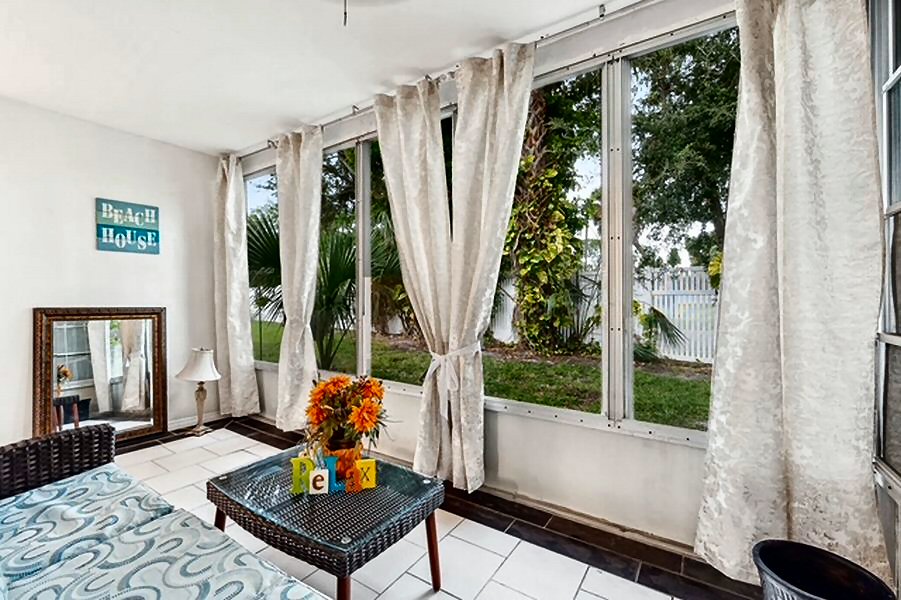
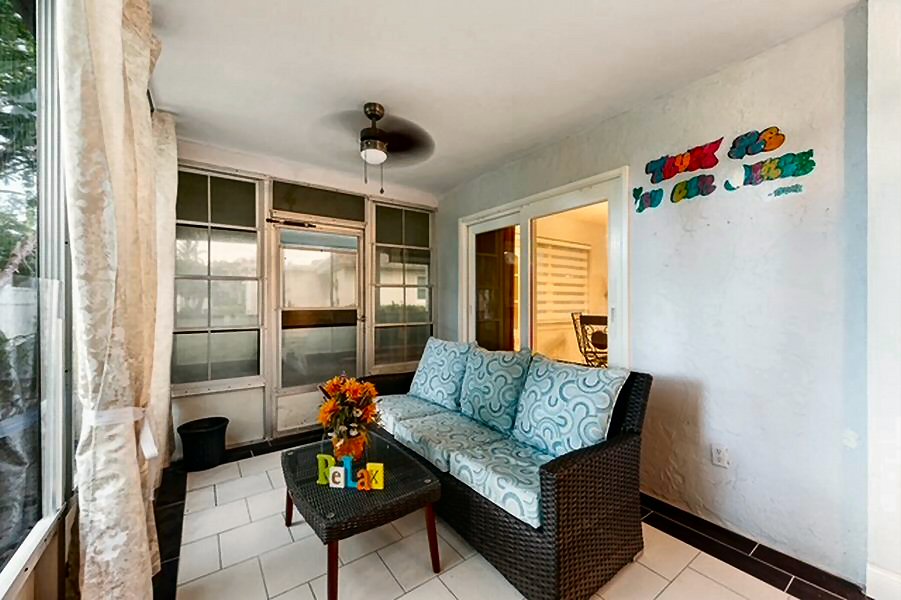
Right picture: Pavillion - attached to living room.

CLICK on picture to enlarge. Command Key F11 makes it even bigger. With the large picture a SLIDE SHOW is automatically activated. To go BACK and FORTH click on the LEFT or RIGHT side of the big picture. To finish the SLIDE SHOW click in the darkened area or on (x).
Pavillion - attached to living room.
 
CLICK on picture to enlarge. Command Key F11 makes it even bigger. With the large picture a SLIDE SHOW is automatically activated. To go BACK and FORTH click on the LEFT or RIGHT side of the big picture. To finish the SLIDE SHOW click in the darkened area or on (x).
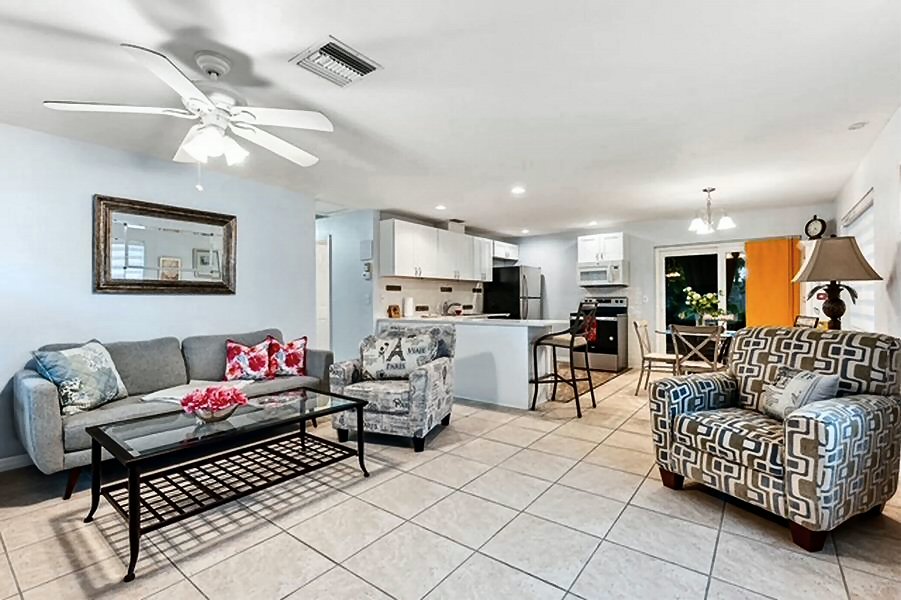
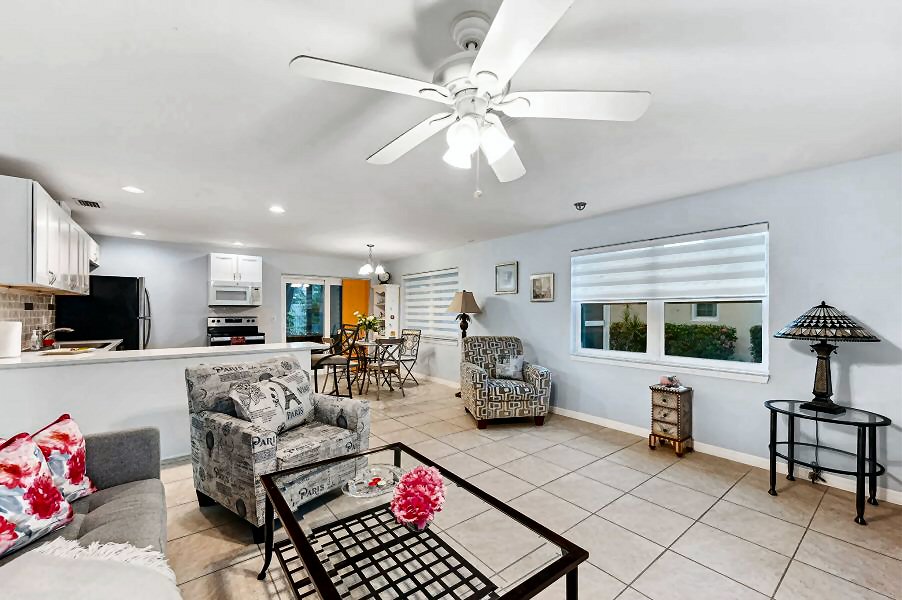
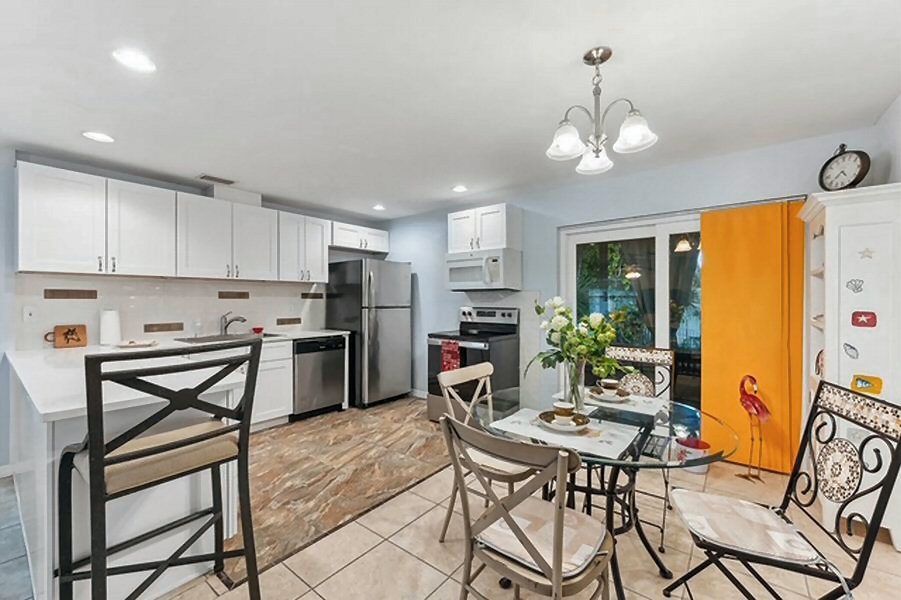
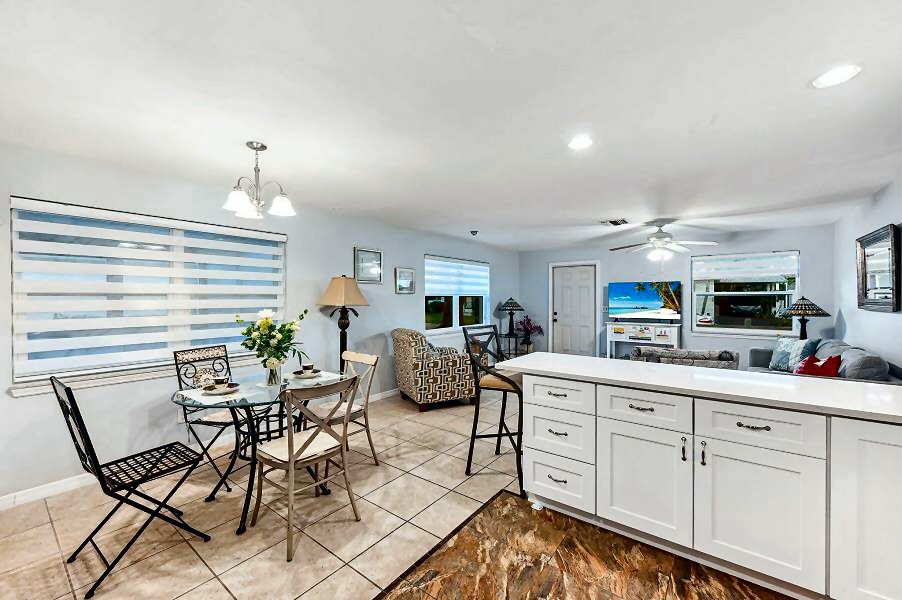
View from living room to dining section.

CLICK on picture to enlarge. Command Key F11 makes it even bigger. With the large picture a SLIDE SHOW is automatically activated. To go BACK and FORTH click on the LEFT or RIGHT side of the big picture. To finish the SLIDE SHOW click in the darkened area or on (x).
View from living room to dining section.
 
CLICK on picture to enlarge. Command Key F11 makes it even bigger. With the large picture a SLIDE SHOW is automatically activated. To go BACK and FORTH click on the LEFT or RIGHT side of the big picture. To finish the SLIDE SHOW click in the darkened area or on (x).
Right picture: View from living room to dining section.

CLICK on picture to enlarge. Command Key F11 makes it even bigger. With the large picture a SLIDE SHOW is automatically activated. To go BACK and FORTH click on the LEFT or RIGHT side of the big picture. To finish the SLIDE SHOW click in the darkened area or on (x).
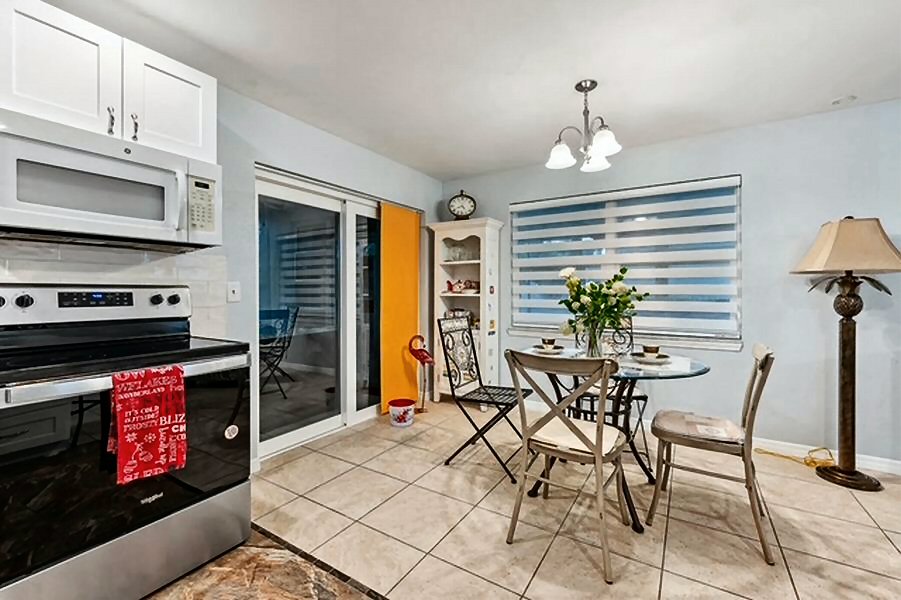
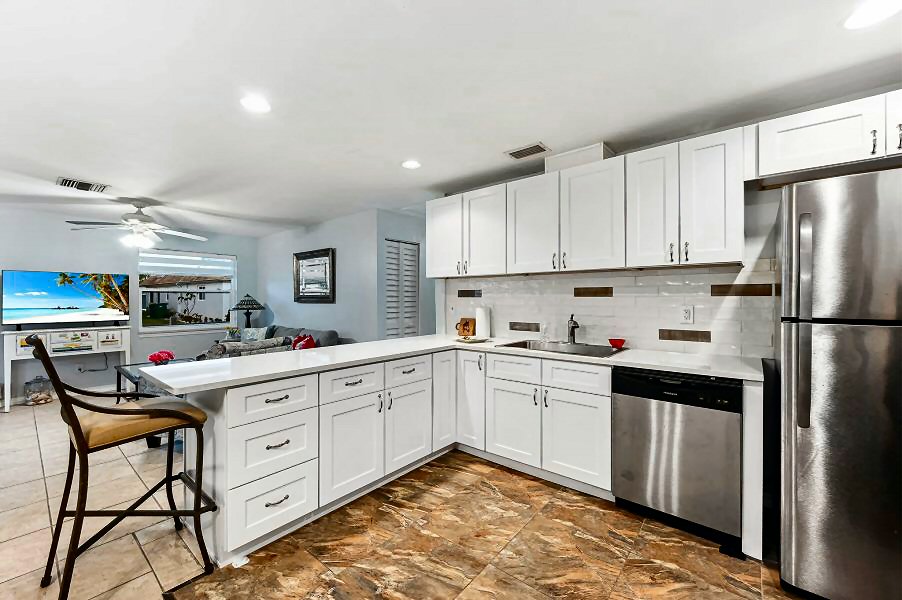
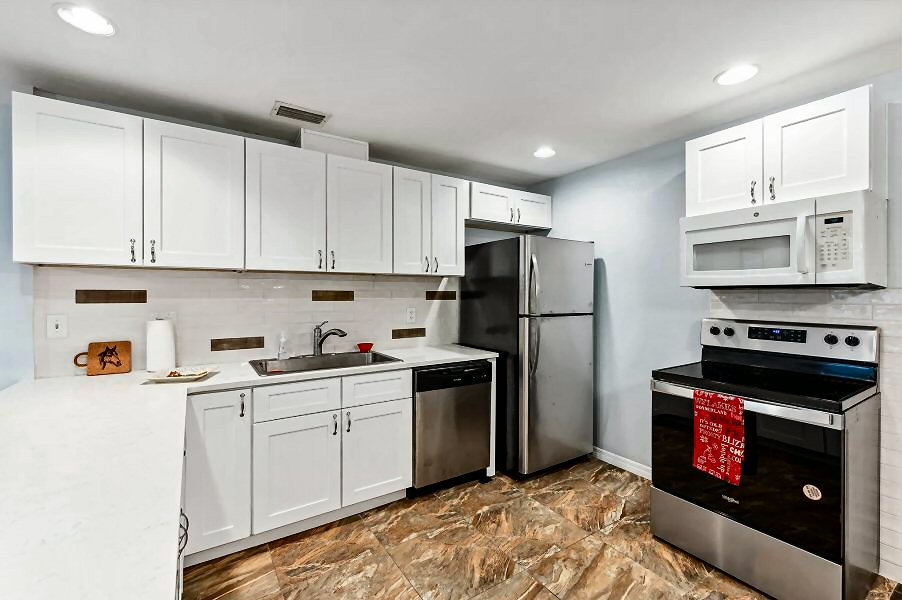
Kitchen.
 
CLICK on picture to enlarge. Command Key F11 makes it even bigger. With the large picture a SLIDE SHOW is automatically activated. To go BACK and FORTH click on the LEFT or RIGHT side of the big picture. To finish the SLIDE SHOW click in the darkened area or on (x).
Kitchen.

CLICK on picture to enlarge. Command Key F11 makes it even bigger. With the large picture a SLIDE SHOW is automatically activated. To go BACK and FORTH click on the LEFT or RIGHT side of the big picture. To finish the SLIDE SHOW click in the darkened area or on (x).
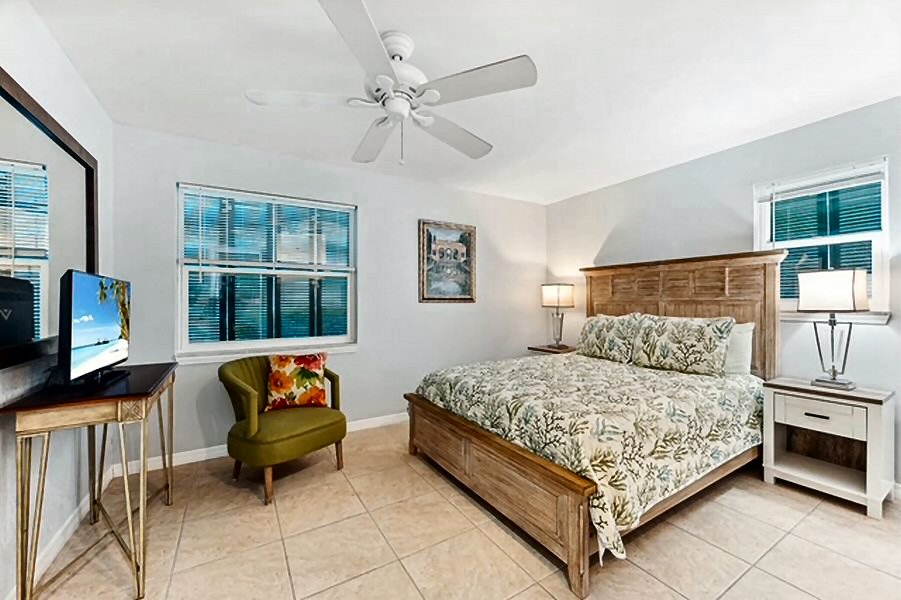
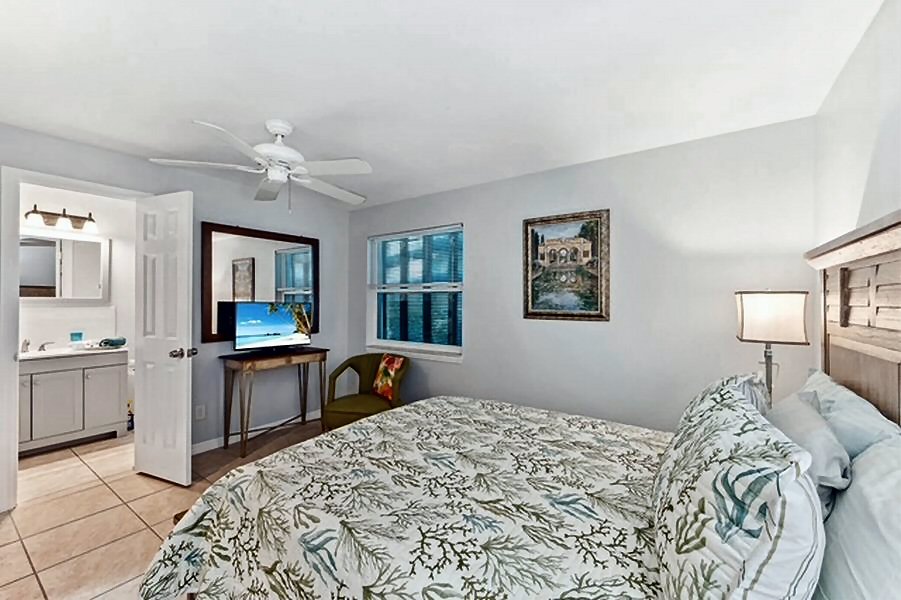
Master bedroom. King-size bed.
 
CLICK on picture to enlarge. Command Key F11 makes it even bigger. With the large picture a SLIDE SHOW is automatically activated. To go BACK and FORTH click on the LEFT or RIGHT side of the big picture. To finish the SLIDE SHOW click in the darkened area or on (x).
Right picture: Master bedroom. King-size bed.

CLICK on picture to enlarge. Command Key F11 makes it even bigger. With the large picture a SLIDE SHOW is automatically activated. To go BACK and FORTH click on the LEFT or RIGHT side of the big picture. To finish the SLIDE SHOW click in the darkened area or on (x).
Master bedroom. King-size bed.
 
CLICK on picture to enlarge. Command Key F11 makes it even bigger. With the large picture a SLIDE SHOW is automatically activated. To go BACK and FORTH click on the LEFT or RIGHT side of the big picture. To finish the SLIDE SHOW click in the darkened area or on (x).
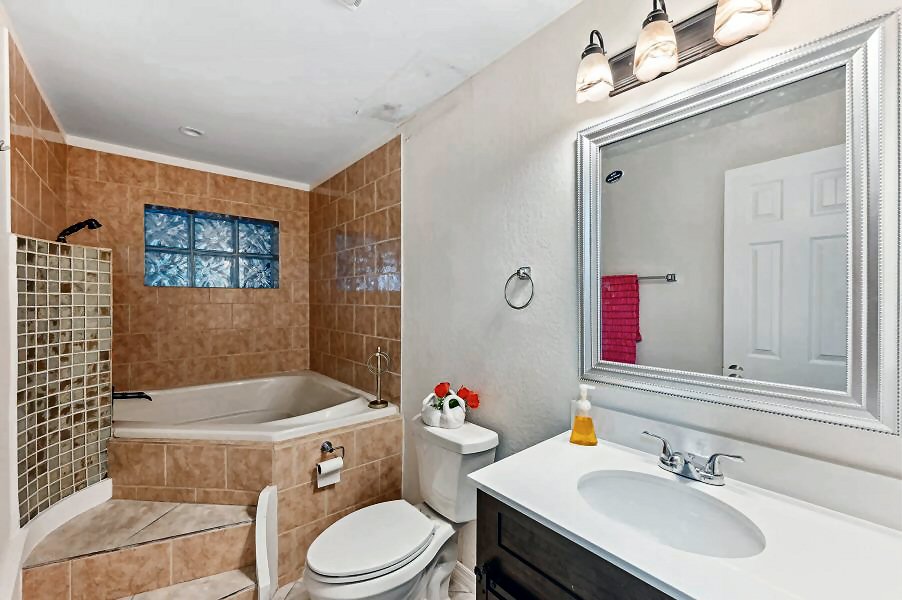
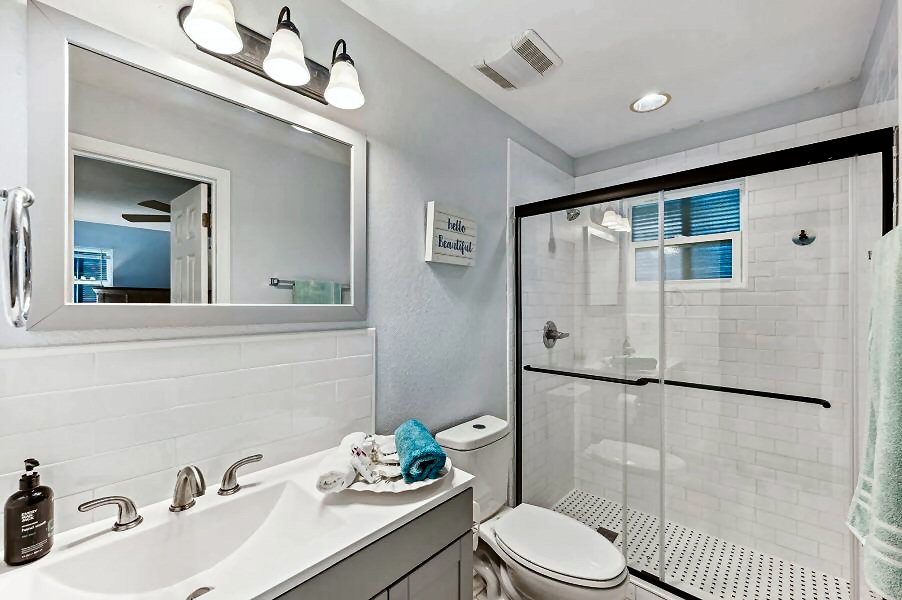
Bathroom of Master bedroom.

CLICK on picture to enlarge. Command Key F11 makes it even bigger. With the large picture a SLIDE SHOW is automatically activated. To go BACK and FORTH click on the LEFT or RIGHT side of the big picture. To finish the SLIDE SHOW click in the darkened area or on (x).
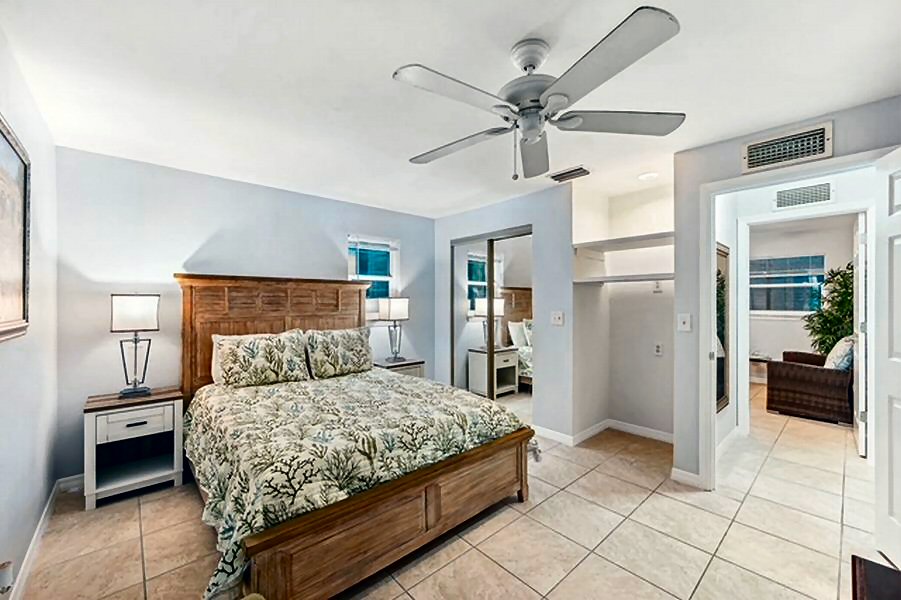
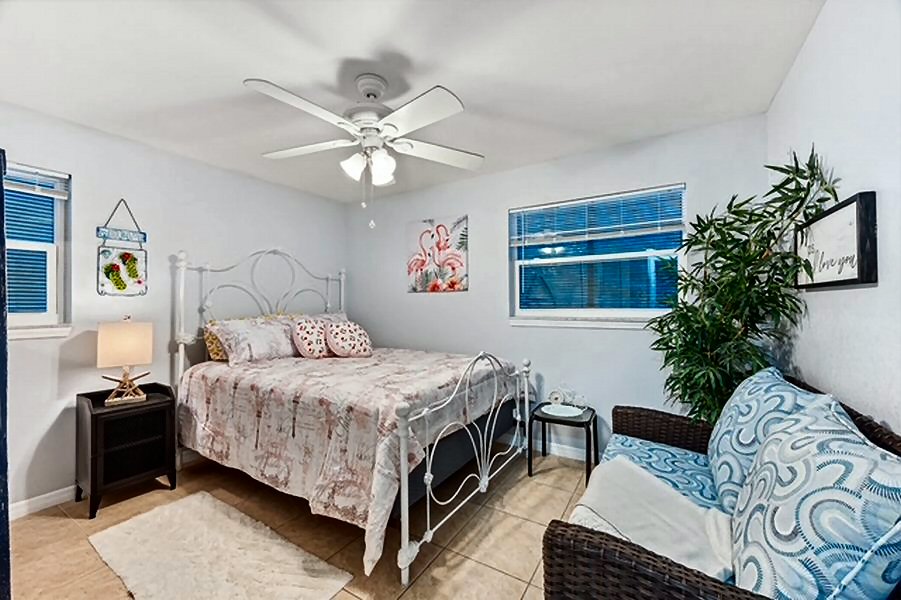
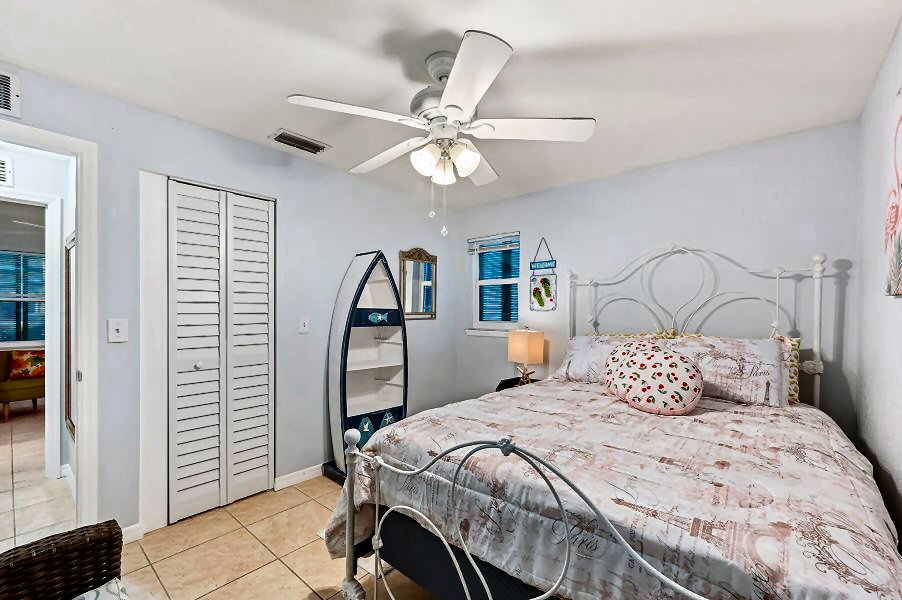
Guest bedroom. Queen-size bed.
 
CLICK on picture to enlarge. Command Key F11 makes it even bigger. With the large picture a SLIDE SHOW is automatically activated. To go BACK and FORTH click on the LEFT or RIGHT side of the big picture. To finish the SLIDE SHOW click in the darkened area or on (x).
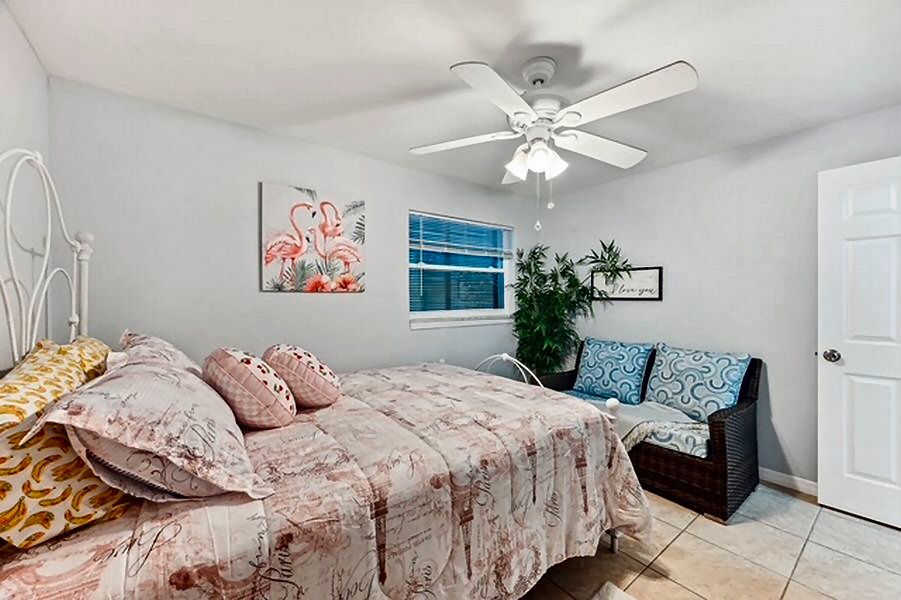
Right picture: Guest bedroom. Queen-size bed.

CLICK on picture to enlarge. Command Key F11 makes it even bigger. With the large picture a SLIDE SHOW is automatically activated. To go BACK and FORTH click on the LEFT or RIGHT side of the big picture. To finish the SLIDE SHOW click in the darkened area or on (x).
Guest bedroom. Queen-size bed.
 
CLICK on picture to enlarge. Command Key F11 makes it even bigger. With the large picture a SLIDE SHOW is automatically activated. To go BACK and FORTH click on the LEFT or RIGHT side of the big picture. To finish the SLIDE SHOW click in the darkened area or on (x).
Bathroom of guest bedroom.

CLICK on picture to enlarge. Command Key F11 makes it even bigger. With the large picture a SLIDE SHOW is automatically activated. To go BACK and FORTH click on the LEFT or RIGHT side of the big picture. To finish the SLIDE SHOW click in the darkened area or on (x).
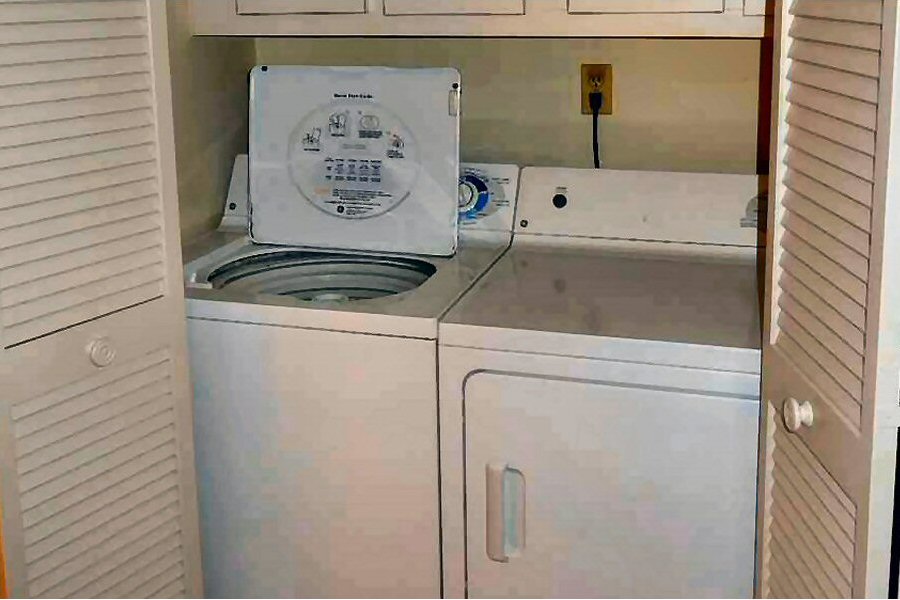
Washing Machine and Dryer.
 
CLICK on picture to enlarge. Command Key F11 makes it even bigger. With the large picture a SLIDE SHOW is automatically activated. To go BACK and FORTH click on the LEFT or RIGHT side of the big picture. To finish the SLIDE SHOW click in the darkened area or on (x).
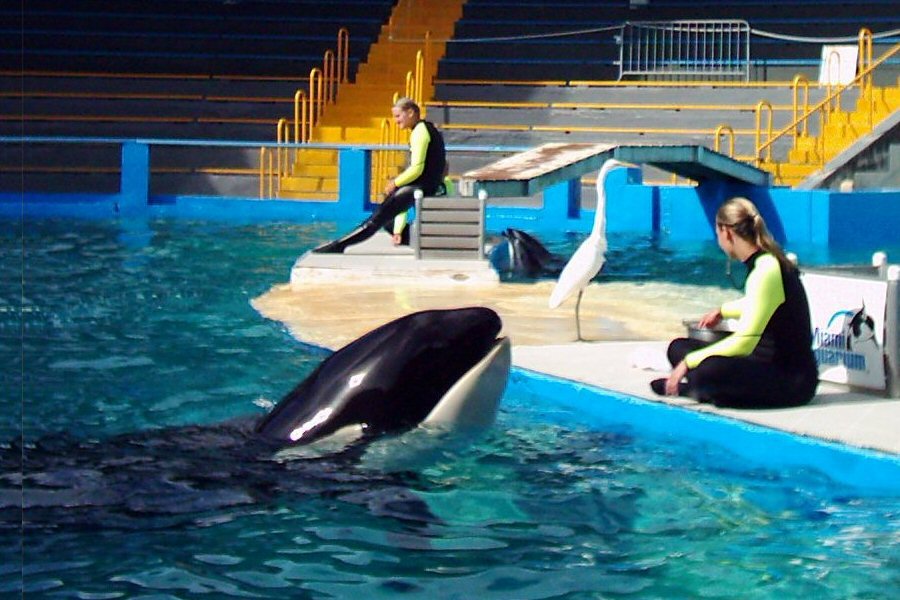
Right picture: MIAMI is only 110 miles away.

CLICK on picture to enlarge. Command Key F11 makes it even bigger. With the large picture a SLIDE SHOW is automatically activated. To go BACK and FORTH click on the LEFT or RIGHT side of the big picture. To finish the SLIDE SHOW click in the darkened area or on (x).
It's about 3 miles to the endless beaches of the Gulf of Mexico.
 
CLICK on picture to enlarge. Command Key F11 makes it even bigger. With the large picture a SLIDE SHOW is automatically activated. To go BACK and FORTH click on the LEFT or RIGHT side of the big picture. To finish the SLIDE SHOW click in the darkened area or on (x).
Welcome to the beaches of the Gulf of Mexico.
 

CLICK: Go up to top Highlights
  • Non-Gated Community
  • No pets
  • Please do not
    smoke inside
    the accommodation.
  • Living area
    air-conditioned
    around 1228 square feet.
  • High ceiling
  • Closed Pavillon
  • No Pool
  • Master Bedroom (king size bed)
  • Guest Bedroom (queen size bed)
  • Two Bathrooms
    with wash-bowl,
    shower, toilet
  • Hairdryer
  • Washing machine
  • Clothes dryer
  • Iron
  • Iron board
  • Walk-In Closet
  • Fresh Bed linen
  • Fresh Towels
  • Beach umbrellas, chairs & towels
  • FREE WiFi Internet access
    in rental unit
  • No Landline phone,
    WiFi Internet available.
  • Two TV Cable
  • Radio / Stereo system
  • Dining area, table, 4 chairs
  • Air conditioning
  • Central heating
  •  
  •  
  • Kitchen
  • 4-burner stove
  • Oven
  • Refrigerator
  • Freezer
  • Ice Maker or
    ice cube trays
    in the freezer
  • Dishwasher
  • Microwave
  • Coffee machine
  • Toaster
  • Disposal
  • Pots & pans
  • Dishes
  • Cooking spices

CLICK: Go up to top Floor plan
CLICK on picture to enlarge. CLICK on upper-right X to CLOSE large picture.

Floor plan

CLICK on picture to enlarge. CLICK on upper-right X to CLOSE large picture.
 
CLICK: Go up to top Availability NG-Number 00905
To check availability please click HERE.

But in case of no availability please send us an e-Mail and mention our 5-digit unit number. Our motto is: No Problem! We'll find a solution!
Vacation Rental Calendar

If you are an owner and interested in this calendar have a look HERE and get more information before you buy.

CLICK: Go up to top Location Knights Bridge Rd in ROYAL PARK
Zoom with + - and navigate with < >
 
CLICK: Go up to top Rental rates per night and unit (not binding - all inclusive):
RENTAL RATES... RATES (are subject to change): Registration:$50 - Final Cleaning:$160. Rates are good for a 21-nights (or more) rental. JAN-FEB-MAR: Only monthly timeframe. All prices are 11% taxes included. Prices and descriptions are not binding.
German citizens should go to our German website.
To get to our GERMAN website please click HERE.

1/1 thru 3/1:   $180   per night (11% taxes included).   30 nights minimum.
3/1 thru 5/1:   $150   per night (11% taxes included).   30 nights minimum.
5/1 thru 12/1:   $130   per night (11% taxes included).   21 nights minimum.
12/1 thru 1/1:   $150   per night (11% taxes included).   21 nights minimum.


A message from the owner:
A warm WELCOME! The house shown above is located in a quiet, well maintained community called ROYAL PARK, which is accessed from US41 East via the entrance of SANDPIPER.


Home • All rentals / Sitemap • Winterpark • Falling Waters • World Tennis Club • More rentals • New rentals
Service • Imprint • GDPR (EEA) • Links • Help / Info • Testimonials • Sightseeing • Contact • Deutsche Version

  You agree to our ‘Privacy Policy’ and our ‘Terms of Use’ (including use of Cookies) by click on:  OK  
  If you click on  NO  you do NOT agree to the above.